Integrations
Connecting Confluence
ResolvCmd syncs pages from your Confluence Cloud spaces into your knowledge base. Once connected, your Confluence documentation powers resolutions on every ticket.
Cloud only — on-premise Confluence (Server/Data Center) is not supported.
Prerequisites
- An Atlassian Cloud account with access to the Confluence spaces you want to sync
- Read access to the spaces you want to connect
Connect Confluence
- In ResolvCmd, go to Sources > Add Source
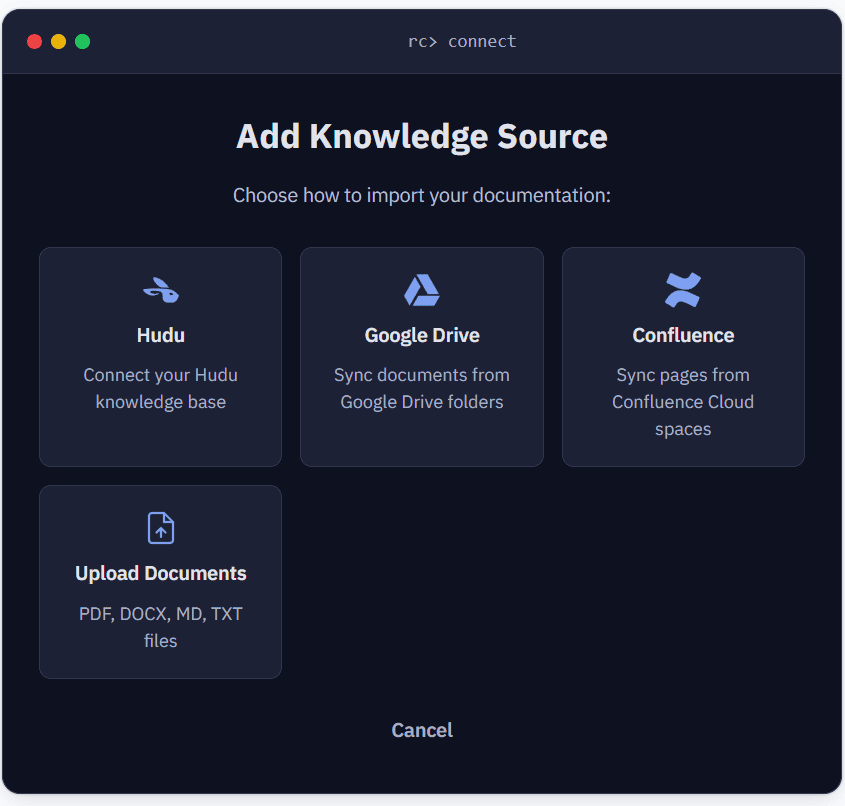
- Select Confluence
- Click Connect Atlassian Account
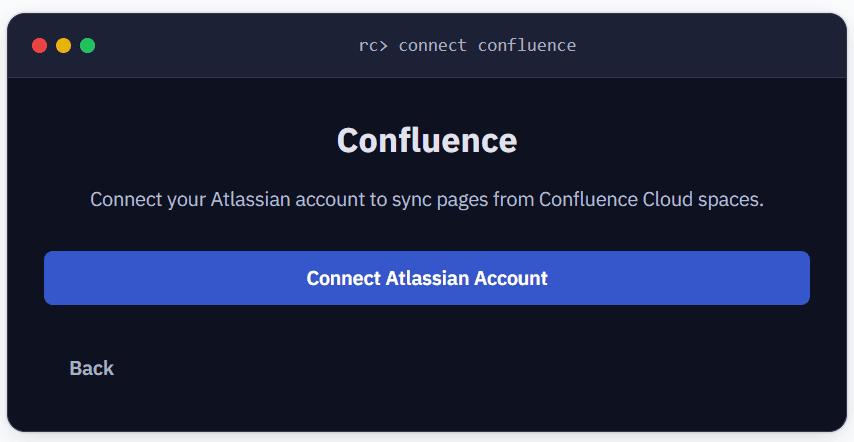
- Atlassian’s OAuth consent screen opens — sign in and select the Confluence site to authorize
- Grant ResolvCmd read access to your Confluence content
- After authorization, you’ll be redirected back to ResolvCmd
- Select the spaces you want to sync (each shows its space key)
- Click Create Source
Syncing begins immediately in the background.
What gets synced
- All pages within selected spaces
- Page content (body text, tables, formatting)
- Page metadata: title, labels, parent/child hierarchy, version, last editor
Not synced: Attachments, comments, blog posts, space-level settings.
Selecting spaces
Choose the specific spaces that contain your team’s documentation — SOPs, runbooks, procedures, and knowledge base articles. You don’t need to sync every space. Keeping the selection focused improves resolution relevance.
Sync behavior
- Full sync on first run — fetches all pages from each selected space
- Incremental syncs after that — finds pages modified since the last sync
- New and updated pages are picked up automatically
- You can trigger a manual sync from the Sources page at any time
Atlassian admin notes
- The OAuth app appears in Atlassian Admin > Settings > Connected Apps after the first user authorizes it
- Admins can revoke access from there at any time
- The user connecting must have read access to the spaces they select — ResolvCmd cannot access spaces the user can’t see
- ResolvCmd requests read-only scopes. It cannot modify, delete, or create pages in your Confluence instance.
Troubleshooting
| Symptom | Cause | Fix |
|---|---|---|
| ”Failed to load spaces” | OAuth token expired or site not authorized | Disconnect and reconnect the Confluence source |
| 0 pages synced | User doesn’t have read access to selected spaces | Verify the connecting user can view those spaces in Confluence |
| Sync errors with 403 | Atlassian admin revoked the app | Re-authorize in Atlassian Admin > Connected Apps |